
Solo rap video generator
One photo, one performer and one voice for every line. Write a birthday toast, a gentle self-roast or a verse about a small win, then choose your stage and output.
Solo mode creates an original rap performance from one adult portrait. The same person performs every lyric line, with an original beat and vocals. Your photo guides the visual identity; it is not a recording or clone of your real voice.
5 / 10 / 15 sec · 480p / 720p · 9:16 / 16:9 / 1:1 · MP4 · Original beat & vocals
Create your rap →Photo review and writing examples are free. Video generation requires sign-in, authorized adult photos, consent and credits. Pricing
From your idea to a performance
Select Solo before choosing a photo
The composer shows one portrait slot. Use a clear photo of one adult with the full face visible. Avoid a group image: Solo does not choose a person or crop them out for you.
Use one optional name
The name field belongs to the single performer and can be left blank. Adding a name does not choose a gender or voice, and it does not rewrite lyrics you already pasted.
Keep every line in the same voice
Use plain lyrics or label every line A:. A B: label means another speaker, so the editor asks you to remove it or switch to Duo. Your text is kept while you edit.
Review the fixed-length performance
Choose 5, 10 or 15 seconds. Use the timing estimate to shorten the verse or explicitly select a longer duration. Continue to review the quote; video generation starts only after confirmation.
Walk through a one-voice verse
Start with “A tiny birthday toast”: a single portrait, birthday occasion, orange booth and two A-labelled lines for 5 seconds. The image below illustrates an input portrait; the verse is an editable writing example.
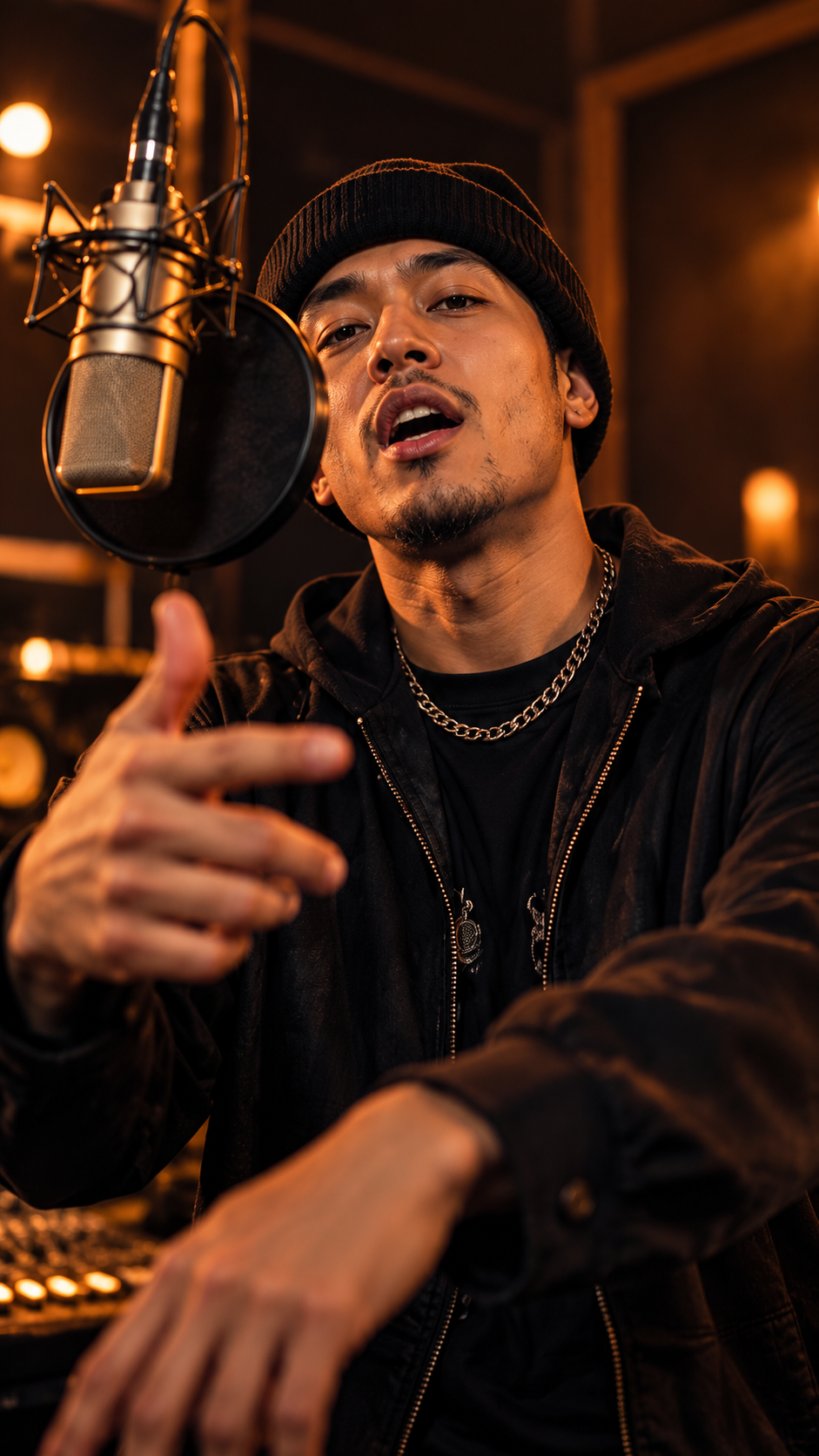
A tiny birthday toast
A: Your day, shine bright A: Own the night
5 sec · Solo · Orange booth
Illustrative solo input portrait · original writing example
Verse ideas for this performance
Original writing examples for 5, 10 or 15 seconds. Choose a topic to keep your existing lyrics, or add an example verse to edit. These are text examples, not transcripts of the sample videos.
Topic
A warm birthday greeting for someone who lights up the room.
Example verse
A: Your day, shine bright A: Own the night
Timing is estimated. Adding names or changing words can change the fit. Review the editor before generating.
Topic
A friendly self-roast about saying five minutes away while still at home.
Example verse
A: Still late, still great A: My keys can wait
Timing is estimated. Adding names or changing words can change the fit. Review the editor before generating.
Topic
Mark an anniversary with a warm thank-you. Add one real shared memory if you wish.
Example verse
A: Still a spark, still bright A: Still a laugh each night A: Keep the good days near A: Here’s to one more year
Timing is estimated. Adding names or changing words can change the fit. Review the editor before generating.
Topic
Celebrate a small happy moment with warm confidence. Keep the achievement unspecified.
Example verse
A: Small win, big grin A: Let the good beat in A: One step, one light A: Make this moment bright A: Take a breath and cheer A: Keep the good days near
Timing is estimated. Adding names or changing words can change the fit. Review the editor before generating.
Give the camera a clear face.
Use JPG, PNG or WebP, at least 300 × 300 pixels and up to 10 MB per photo. These examples use the same illustrative portrait.
Use a clear, full face
Face fully inside the frame, visible eyes and mouth, even light and enough detail to recognize the adult.
Avoid a cut-off face
A tight crop can hide the eyes, forehead or chin. Choose the original portrait rather than a screenshot or an extreme crop.
For Duo, keep both faces separate and clear. In one photo, stand side by side without one face hiding the other. Left and right follow the picture as you see it.
For Solo, choose one adult in one photo. Use a photo with permission; avoid minors, celebrities and public figures.
Choose the kind of video you mean.
An original rap, an audio-driven lip-sync clip and a face-swap template start from different material.
| Method | You bring | What it does |
|---|---|---|
| Original photo rap · RapVideo AI | Adult photos plus a topic or your lyrics | Requests a new performance with original beat and AI vocals. Best for a personal verse or gift. |
| Audio-driven lip sync | A photo and an existing recording you may use | Animates the face to supplied audio. Useful when the recording itself must be the soundtrack. |
| Face-swap template | A face photo and existing template footage | Replaces an identity inside existing footage. The template determines the performance and audio. |
RapVideo AI uses the original-rap workflow. Uploaded songs, voice cloning and face-swap footage are outside this tool. Keep the rights to every photo, word and recording you use.
Questions for this performance
No. Solo accepts exactly one reference photo showing one adult. For two people, choose Duo instead.
You can supply your own words. Use plain text or A: labels and keep within the timing budget. AI vocals can still vary, so review the completed video before sharing.
The request creates original AI vocals. A photo does not supply a voice recording, and this tool does not offer a real-person voice clone or an uploaded-song workflow.
Solo and Duo use the same credit quote for the same duration and quality. Review the current server quote before confirmation.
Moving from two separate portraits to Solo keeps the left portrait. Moving from a group photo clears it rather than guessing an adult. Your lyrics stay intact; B-labelled lines need editing for Solo.